Kirro, VWO, and Optimizely lead the pack for most teams. But the right A/B testing software depends on your traffic, budget, and willingness to tinker. What works for a 200-person company with a dedicated testing team is overkill for a solo founder with 30 minutes between meetings.
We’ve tested, used, or deeply researched every website A/B testing tool on this list. We’ll tell you what each one actually costs (not just the sticker price), who it’s built for, and which one fits your situation. No fluff. No ranking every tool as “best.” (If you want the fundamentals first, start with our complete A/B testing guide.)
And yes, we make one of these tools. We’ll be upfront about that. More on Kirro below. Need multivariate testing tools specifically? We have a dedicated comparison for that. If you’d rather outsource your testing to an agency, we have a separate guide on costs and when that makes sense. If you need more than just testing, our conversion optimization tools guide covers the full toolkit. For a quick overview of how these tools break down by category, see our A/B testing tools & software hub.
Quick comparison
| Tool | Best for | Starting price | Free tier? |
|---|---|---|---|
| Kirro | Small teams, solo founders | EUR 99/month | 30-day free trial |
| VWO | Mid-market teams wanting everything in one place | ~$299/month | No |
| Convert | Privacy-first teams | $299/month | 15-day trial |
| Kameleoon | EU companies needing personalization | Custom pricing | No |
| Crazy Egg | Quick visual insights + simple tests | $49/month | 30-day trial |
| Optimizely | Enterprise teams with big budgets | ~$36,000/year | No |
| AB Tasty | Large enterprises (EU-based) | ~$60,000/year | No |
| Adobe Target | Adobe ecosystem shops | ~$50,000/year | No |
| GrowthBook | Developer teams with a data warehouse | Free (open source) | Yes |
| PostHog | Product teams wanting analytics + testing | Free (1M events) | Yes |
| Statsig | Engineering teams at scale | Free (2M events) | Yes |
| Unbounce | Landing page testing | $96/month | 14-day trial |
| Microsoft Clarity | Zero-budget visual analytics | Free forever | Yes |
But first, the part nobody talks about: what these tools actually cost.
What A/B testing software actually costs
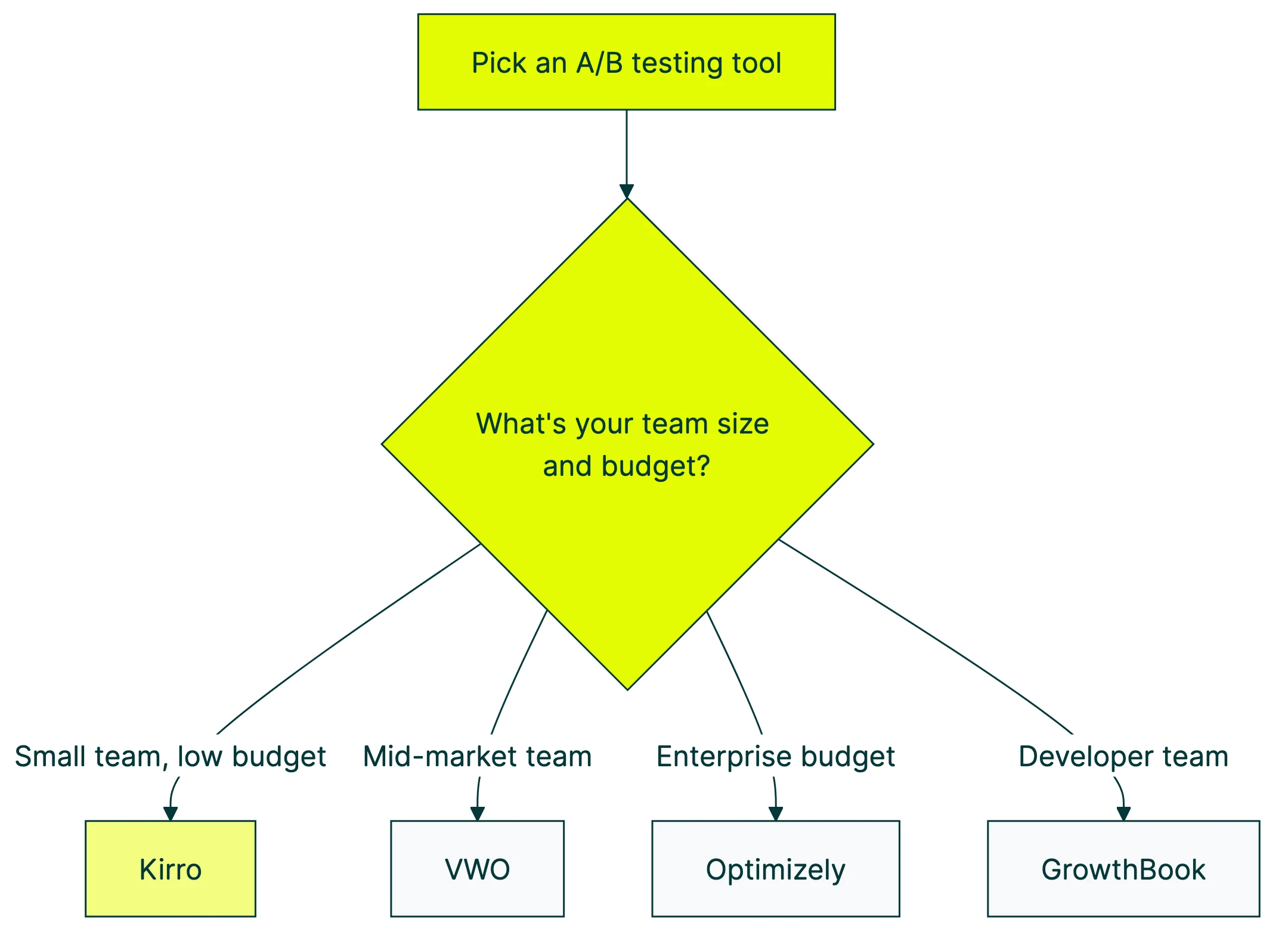
Most comparison articles list the monthly price and move on. That’s like showing the sticker price on a car without mentioning insurance, gas, or the fact that the dealer charges more the further you drive.
The real bill is bigger. Here’s how.
Free doesn’t mean free
GrowthBook is “free” to self-host. But someone needs to set up the server, connect your data warehouse (a place where all your analytics data lives), and keep it running. That’s 20-40 hours of engineering time upfront. Plus ongoing maintenance.
PostHog’s free tier is generous. But usage-based pricing means your bill grows with your traffic. What starts at $0 can hit $500/month fast if your site takes off.
“Free” tools are great for developer teams who already have the skills. For everyone else, the hidden cost is time.
Our take: If you need to ask “what’s a data warehouse,” you don’t need a free developer tool. You need a simple tool with a clear price. That’s literally why we built Kirro.
The per-visitor pricing trap
VWO, Convert, and several other A/B testing platforms charge based on “monthly tested visitors.” Sounds reasonable. Until your traffic doubles.
Convert starts at $299/month for 100K visitors. Hit 250K and it jumps to $420/month. VWO scales similarly. Your success literally makes your bill go up.
Contrast that with flat pricing (like Kirro’s EUR 99/month). Test 10,000 visitors or 10 million. Same price. Your growth shouldn’t be punished.
The enterprise cost nobody talks about
Adobe Target: $50,000 to $500,000+ per year. Plus $20,000 to $100,000 in setup costs. Plus a team to run it.
Optimizely: roughly $36,000/year. Plus a dedicated CRO team (conversion rate improvement specialists) to run the tests. That’s another $60,000-$100,000 in salaries.
One study found that companies sign multi-year enterprise contracts and then don’t have the skills to actually use the tool. Expensive shelf-ware.
G2’s data shows the average return timeline for A/B testing tools is 9 months. That’s 9 months of paying before you see results. Make sure you’re paying a price you can stomach for that long.
Best A/B testing tools for small teams
Kirro
Full disclosure: this is us. We built Kirro because every other option was either too expensive, too complicated, or both.
What it does well: Kirro is A/B testing stripped down to what matters. You paste a small script (9KB, tiny), pick a page in the visual editor, change what you want to test, and hit go. Results show up in plain English, not statistics jargon.
The GA4 connection is a big deal. If you already track conversions in Google Analytics, Kirro picks those up automatically. No extra setup. And installing through Google Tag Manager is one click.
Pricing: EUR 99/month. Flat. Unlimited tests, unlimited visitors. No per-visitor pricing. No annual contracts. Start a free 30-day trial.
Who it’s for: Marketers at small companies, solo founders, indie hackers. People who have 30 minutes between meetings and want to know if their new headline works. If you’ve looked at VWO’s pricing and closed the tab, Kirro was built for you.
The tradeoff: Kirro focuses on web A/B testing. No server-side testing. No feature flags (turning features on for some visitors, off for others). No testing 47 things at once. If you need those, look further down this list. Want to know how to A/B test on Webflow? Kirro works with Webflow sites out of the box. Not sure which type of test you need? Our guide on split testing meaning covers the three types, and our split testing vs A/B testing comparison explains where the terms overlap. Looking for redirect-based testing specifically? Our split testing software guide covers tools that handle URL-level split tests.
Best for mid-market teams
VWO
VWO is where most growing companies end up. It packs a lot into one platform, and the price sits between “affordable” and “enterprise-crazy.”
VWO gives you A/B testing, heatmaps (visual maps of where people click), session recordings, and personalization in one dashboard. Instead of paying for three tools, you get one. The visual editor is solid. The analytics go deep without being overwhelming.
Companies like Ubisoft and Dominos use it. That says something about reliability.
Pricing: Starts around $299/month, but scales up based on your traffic. Enterprise plans go much higher. You’ll need to talk to their sales team for exact numbers.
Who it’s for: Marketing teams of 3-10 people at companies that have outgrown simple tools but don’t need Optimizely-level complexity.
The tradeoff: Per-visitor pricing means costs grow as your traffic grows. And while the all-in-one approach is nice, you might already have heatmap tools you’re happy with. See our VWO vs Optimizely comparison for a deeper look.
Convert
Convert built its reputation on two things: privacy and reliability. Not flashy, but solid.
GDPR compliance (Europe’s data privacy rules) is baked in from day one. If you operate in Europe or handle sensitive data, Convert removes the compliance headache. For teams exploring cookieless tracking solutions, Convert is one of the stronger options. Testing quality rivals VWO. Solid server-side testing, clean interface.
$299/month for 100K monthly tested visitors. $420/month for 250K. Published pricing. No “call us” games. Popular with agencies too, since it scales reasonably across client accounts. Read our full Convert review for the real pricing breakdown (including overage fees most reviews skip).
The tradeoff? No heatmaps or session recordings. You’re paying for testing and personalization, not an all-in-one analytics suite.
Kameleoon
Kameleoon is EU-based and combines A/B testing with personalization (showing different content to different visitors based on their behavior). Forrester named them a “Strong Performer” in 2024.
If GDPR compliance is a priority, Kameleoon takes it seriously. Their privacy approach goes beyond checking boxes. The personalization features are strong (see our website personalization guide for what to look for in a personalization engine), and the platform handles both simple A/B tests and more complex setups.
Pricing: Custom pricing only. You’ll need to talk to sales, which usually means enterprise-level budgets.
Who it’s for: European companies that want testing and personalization in one platform, with strong privacy compliance baked in.
The tradeoff: The “talk to sales” pricing model usually means it’s not cheap. If you just want straightforward A/B testing, simpler options exist.
Crazy Egg
Crazy Egg started with heatmaps and added A/B testing on top. If you want to see where people click AND test changes, it’s a natural combo.
What it does well: The heatmaps are visual and easy to understand. You see exactly where people click, scroll, and get stuck. The A/B testing is simple (not as deep as VWO or Convert), but for quick tests, it works well. Popular among early conversion optimization adopters for quick wins.
Pricing: Starts at $49/month. Affordable for small teams wanting visual insights plus basic testing.
Who it’s for: Teams that want to see what’s happening on their pages AND test changes, without paying for two separate tools.
The tradeoff: The A/B testing features are basic compared to dedicated testing platforms. Good for simple tests, not for complex setups.
Best for enterprise
Optimizely
Optimizely is the name everyone knows. For large companies with dedicated conversion optimization teams, it’s still the standard.
What it does well: Everything, basically. Web testing, server-side testing, feature flags, personalization, content management. Optimizely is a full testing platform. Their AI assistant can suggest test ideas, and the statistical engine is solid.
Pricing: Starting around $36,000/year. Enterprise plans run $100K+. This is not a tool you expense on a credit card. We dig into Optimizely’s full pricing breakdown separately.
Who it’s for: Companies with dedicated testing teams, six-figure budgets, and enough traffic to run dozens of tests at once. If you have a “Head of Experimentation” on staff, Optimizely might fit.
The tradeoff: Cost. Complexity. Setup time. If you’re a team of one testing a headline, Optimizely is like renting a cruise ship to cross a lake. See our list of alternatives to Optimizely if you want something simpler. Or read our VWO vs Optimizely head-to-head for a full breakdown.
AB Tasty
AB Tasty is the European alternative to Optimizely. Similar features, similar price range, different accent. If your company is based in the EU and wants a vendor who speaks your regulatory language, AB Tasty gets the nod.
Starts around $60,000/year. Custom quotes only. Built for large European companies that prefer a local vendor, or enterprise teams who want a backup option when Optimizely contract renewals come around. With the VWO merger shaking things up, many teams are exploring AB Tasty alternatives for experimentation that cost less and move faster.
Adobe Target
If your company already lives in the Adobe ecosystem (Adobe Analytics, Adobe Experience Manager), Target integrates naturally. Outside that world, there’s little reason to choose it.
Pricing: $50,000 to $500,000+ per year, plus $20K-$100K in setup costs. Read that twice. Our Adobe Target review breaks down exactly where that money goes.
Who it’s for: Adobe shops. Nobody else.
Best for developer teams
GrowthBook
GrowthBook is open source, free to self-host, and built for teams that already have a data warehouse (a central place where all your company’s analytics data lives).
Your test data stays in your existing setup. Not in some third-party tool. GrowthBook supports 24 programming languages, so you can run tests in almost any environment. And because it’s open source, you can see exactly how the math works.
Free to self-host. Cloud version is free for 3 people. Pro is $20/person/month. Built for engineering teams who want full control. If your team debates statistics for fun, this is your tool.
No visual editor though. No point-and-click testing. If you’re a marketer who doesn’t write code, this isn’t for you.
Statsig
Statsig comes from the team that built Facebook’s testing platform. It shows.
The free tier is generous: 2M events per month. The platform handles both feature flags and A/B testing. Analytics go deep, with automatic alerts when something breaks and real-time monitoring.
Free tier with 2M events. Pro includes 5M. Enterprise is custom. This is for engineering teams at scale who want a managed platform instead of self-hosting GrowthBook.
Built for developers, not marketers. If you need a visual editor, keep scrolling.
PostHog
PostHog bundles A/B testing with product analytics, session replay, and feature flags. If you hate paying for five different tools, PostHog might be your move.
The free tier is wild. 1M events, 5K session recordings, and 1M feature flag requests per month. For early-stage startups, that’s enough to run your whole analytics stack for free. Paid plans scale based on usage.
Great for product-led startups that want everything in one place. The catch: A/B testing is one piece of a bigger platform. If testing is your main need, a dedicated tool might feel more focused.
Best for landing pages
Unbounce
Unbounce started as a landing page builder and added A/B testing on top. If your testing focuses on ad campaign landing pages, this fits naturally.
The drag-and-drop builder makes creating page versions fast. Smart Traffic, their AI feature, automatically sends visitors to the version most likely to convert. Clever approach for teams running a lot of paid traffic.
$96/month (billed annually). $161/month gets you Smart Traffic. Built for PPC marketers and teams running ad campaigns who need to build and test landing pages quickly.
It’s a landing page tool with testing, not a testing tool. If you want to test your main website (not standalone landing pages), look elsewhere. For the full workflow on how to split test landing pages, we wrote a separate step-by-step guide.
Best free A/B testing tools
Microsoft Clarity
Clarity is completely free. Forever. No paid upgrade, no catch. Microsoft runs it as a companion to their analytics tools.
Heatmaps and session recordings, unlimited, for free. It won’t run A/B tests for you. But it’s the best companion to any testing tool for understanding why one version beats another.
Install it alongside whatever testing tool you pick. Seriously. There’s no reason not to. The behavioral insights help you figure out what to test next.
GrowthBook (self-hosted)
Already covered above, but worth repeating: GrowthBook’s self-hosted version is genuinely free and open source. If you have engineering resources, it’s the most capable free A/B testing software available.
A/B testing tools by use case
Best for e-commerce
E-commerce sites usually have enough traffic and clear goals (add to cart, checkout, purchase). VWO is the most popular pick because it combines heatmaps with testing. Smaller shop? Kirro handles the testing side at a fraction of the price. Crazy Egg shows you where shoppers get stuck. Selling on Amazon? That’s a different game. See our Amazon A/B testing guide for what works on the marketplace. See our full A/B testing tools roundup for detailed reviews.
Best for SaaS
SaaS companies usually test signup pages, onboarding flows, and pricing pages. Kirro works well for landing pages and signup flows. PostHog is popular with product teams because it bundles testing with product analytics. Bigger SaaS companies tend to reach for Optimizely.
Best for agencies
Agencies need to set up fast across multiple client sites. Convert is popular because pricing scales reasonably per client. Kirro is the budget-friendly option, with flat pricing that doesn’t punish client growth. VWO works when bigger clients need the full analytics suite.
What every tools comparison leaves out
Every comparison article (including the one you’re reading) focuses on features and pricing. Fair enough. But most A/B tests don’t produce a clear winner. And nobody mentions that.
A study of 90+ e-commerce brands found that only 36.3% of tests produce winners. Another 22.1% actually make things worse. And 41.6% are inconclusive, meaning there was no meaningful difference.
That’s not a failure of the tools. That’s how testing works. To understand your A/B test conversion rate and what realistic improvement looks like, you need to set expectations before picking a tool.
Ron Kohavi, who ran testing at Microsoft and Amazon, has said that even at the world’s best companies, 80-90% of tests show no positive effect. Testing isn’t a magic growth button. It’s a safety net that keeps you from shipping bad changes. (The same is true for SEO A/B testing, where 75% of tests are inconclusive.)
Harvard Business School studied 35,262 startups and found A/B testing led to 10% higher page views and 5% more funding. But the benefits didn’t show up until 6 months of consistent testing.
Six months. Not six tests.
And there’s a common trap. If you check your test results early and stop when you see something promising, your chance of a false win jumps to 26.1%. That means about 1 in 4 “winners” aren’t actually winners. You need patience, or a tool that handles the math properly so you don’t have to worry about it.
Our take: The best A/B testing software is the one you’ll actually use. Not the most features. Not the cheapest. The one that fits so well you run tests every month instead of running one and forgetting about it.
For most small teams: pick something simple, start testing today, and stick with it. If you want to avoid common A/B testing mistakes, consistency beats tool choice every time.
How to pick the right A/B testing platform
1. What’s your budget?
- Free: GrowthBook (self-hosted), PostHog, Microsoft Clarity
- Under EUR 100/month: Kirro, Unbounce
- $300-500/month: Convert, VWO (starter)
- $3,000+/month: VWO (growth), Optimizely, AB Tasty, Adobe Target
2. Who’s doing the testing?
- Marketers (no code): Kirro, VWO, Convert, Unbounce
- Developers: GrowthBook, Statsig, PostHog
- Dedicated optimization team: Optimizely, VWO, AB Tasty
3. How much traffic do you have?
This is the question nobody wants to hear. You need roughly 50,000+ monthly visitors for traditional testing to give you reliable answers.
Under 10,000 visitors? You can still test. But test bold changes (think 50% different, not 5% different). Subtle tweaks need big traffic to measure. A completely different headline will show results with less traffic. A slightly different button color won’t.
Under 1,000 visitors? Skip A/B testing for now. Talk to 5-10 customers instead. Their feedback will tell you more than any test could. (Our conversion rate optimization guide covers what to focus on at every traffic level, and our conversion rate optimization guide walks you through the full process.)
4. What statistical approach fits your traffic?
Don’t worry. This sounds technical but it’s simple.
Some tools use the traditional approach (called frequentist statistics). More precise, but needs more visitors. Other tools use a faster approach (called Bayesian statistics). Works with less traffic, gives answers sooner.
Faster results with less traffic (Bayesian): Kirro, VWO, GrowthBook Traditional approach, needs more visitors: Optimizely, Convert Adjusts as results come in (sequential testing): AB Tasty, Statsig
If your traffic is under 100K monthly visitors, Bayesian tools will usually work better for you. Our Bayesian A/B testing guide explains why (and when it’s overkill).
A/B testing is one piece of a bigger puzzle. If you’re building a full toolkit (analytics, heatmaps, surveys, testing), our best CRO tools guide covers all six categories. And our CRO software guide shows how to build a full conversion rate optimization stack by budget.
If you’re still figuring out whether you even need this, our guide on what CRO is covers the basics.
The Google Optimize gap (and what filled it)
When Google Optimize shut down in September 2023, over 500,000 websites lost the only simple, free split testing tool that worked inside their Google stack.
Two years later, the gap is still there. Free tools that popped up are developer-focused (GrowthBook, PostHog) or limited in scope (Clarity does analytics, not testing). The “simple testing for non-technical people” space has been mostly empty. We covered the full list in our Google Optimize alternatives guide.
The numbers tell the story. Companies spent $8.13 billion on A/B testing software last year. That number could hit $40 billion by 2035. And yet only 0.2% of websites actually run A/B tests. Plenty of money being spent. Almost nobody doing it. The gap is simplicity and price.
AI is changing things. 31% of teams now use AI to help automate their testing, from generating test ideas to picking winners faster. Our guide to AI-powered A/B testing covers which features actually deliver and which are hype. The next wave of tools (Kirro included) will make testing even simpler by suggesting what to test and when to stop.
Tools like Kirro exist because Google Optimize proved something important: millions of people want to test their website without becoming data scientists. When it disappeared, most of those people just stopped testing.
If that’s you, the good news is simple: the barrier to start is lower than ever. Pick a tool, test your homepage headline, and see what happens. The simple stuff works.
Frequently asked questions
What is A/B testing in software?
A/B testing means showing two different versions of a page to different visitors, then measuring which version gets more people to do the thing you want (sign up, buy, click). Version A is your current page. Version B is the change you’re testing. The software handles splitting traffic, tracking results, and telling you which version won.
What is the best free A/B testing tool?
It depends on your skills. GrowthBook is the most capable free option if you have developers. PostHog offers a generous free tier with testing inside a broader analytics platform. Microsoft Clarity is great for understanding visitor behavior but doesn’t run A/B tests itself. If you’re a marketer (no code), truly free options are limited. Most affordable is Kirro’s 30-day free trial to see if testing fits your workflow.
How much do A/B testing tools cost?
The range is enormous. Free open-source tools on one end, $500K+/year enterprise platforms on the other. For most small businesses, expect EUR 99 to $500 per month for a solid testing tool without traffic limits.
Can I do A/B testing without a developer?
Yes. Tools like Kirro, VWO, Convert, and Unbounce have visual editors that let you create test versions by pointing and clicking on your live site. No code needed. Developer tools like GrowthBook and Statsig do require coding.
What’s the difference between A/B testing tools and feature flag tools?
A/B testing tools measure which version of a page converts better. Feature flag tools (like LaunchDarkly or Statsig) gradually release new features to small groups before rolling them out to everyone. Some tools do both. Marketer testing headlines? A/B testing. Engineer releasing a new checkout flow? Probably feature flags. For a deeper breakdown, see our guide on feature flags vs A/B testing.
What replaced Google Optimize?
Nothing replaced it directly. The market split three ways: free developer tools (GrowthBook, PostHog), budget-friendly marketing tools (Kirro, Convert), and enterprise platforms (VWO, Optimizely) that were always there. Most Google Optimize fans couldn’t afford the enterprise options. The “free and simple” combo hasn’t been fully replicated.
How do I know if I need A/B testing software?
If your website gets traffic and you want more visitors to take action (sign up, buy, click), testing helps. The question isn’t whether to test. It’s which tool matches your team and budget. Start simple. You can always upgrade later.
Does Amazon use A/B testing?
Yes. Amazon runs thousands of A/B tests at any given time. Booking.com reportedly runs over 1,000 tests simultaneously. These are extreme examples, but they show why companies that depend on conversions invest heavily in testing. You don’t need to run 1,000 tests. You just need to run one. If you sell on Amazon, you can also A/B test your product listings using Amazon’s built-in Manage Your Experiments tool.
What are the best A/B testing tools for mobile apps?
Statsig and GrowthBook are strong picks. Both support testing mobile apps through their development kits. Optimizely handles mobile testing at enterprise scale. Most visual-editor tools (Kirro, VWO, Crazy Egg) focus on websites, not mobile apps. For a dedicated comparison, see our guide to the best mobile app A/B testing tools.

Randy Wattilete
CRO expert and founder with nearly a decade running conversion experiments for companies from early-stage startups to global brands. Built programs for Nestlé, felyx, and Storytel. Founder of Kirro (A/B testing).
View all author posts