Table of contents
What CRO actually means (and what it doesn’t)
For a visual overview, Neil Patel covers the CRO fundamentals in this walkthrough:
Conversion rate optimization (CRO) is the practice of improving the percentage of visitors who take action on your site. That’s it. No PhD required. Start by auditing your site with the free CRO checklist to find where visitors drop off.
Here’s the formula:
Conversion rate = (conversions ÷ visitors) × 100
If 1,000 people visit your pricing page and 20 sign up, your conversion rate is 2%. CRO is about turning that 2% into 3%, then 4%. Same traffic, more results.
What CRO is not: a website redesign. It’s not “just add a popup.” It’s not guessing what might work and hoping for the best.
It’s making small, tested changes based on real data. If you want a quick primer on CRO meaning and definition, we cover the acronym and its different uses. For the full breakdown of what conversion rate optimization means, we have a deep-dive on that. For the CRO fundamentals in one place, start there. This guide is about how to actually do it.
The average conversion rate across all industries is around 1.7% (Statista, Q3 2025). If you’re close to that, you’re normal. If you’re below it, there’s probably low-hanging fruit. The metrics that actually matter for CRO will tell you exactly where to look.
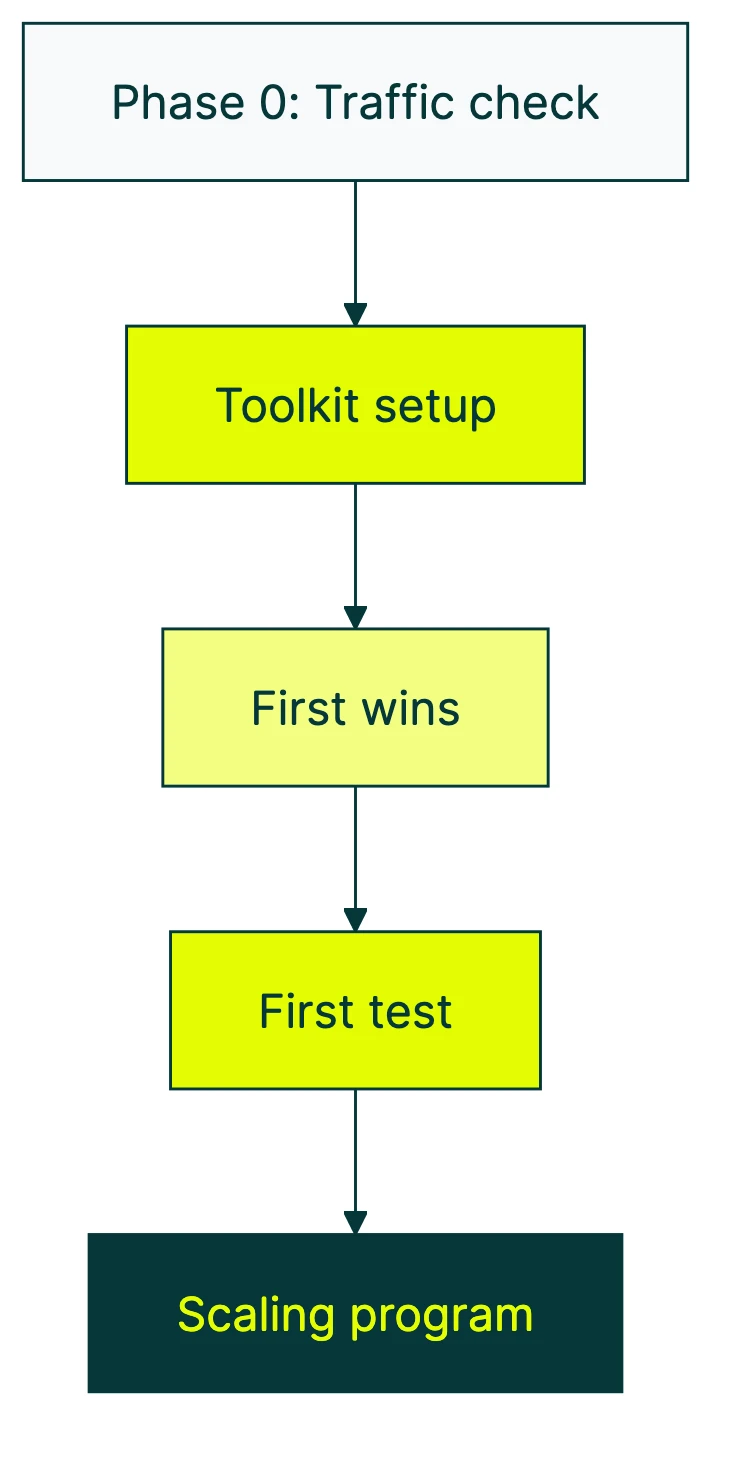
Phase 0: are you ready for CRO?
This is the part every other CRO guide skips. They jump straight to “here’s how to test” without asking the most important question: do you have enough traffic for testing to work?
A/B testing needs a certain number of people before the results mean anything. (The concept is simple: you show two versions of a page to different visitors and measure which one performs better.)
Think of it like a poll. Asking 10 people their opinion? That’s a conversation. Asking 10,000? That’s data.
Here’s the rough breakdown:
| Your monthly traffic | Best CRO methods | Skip for now |
|---|---|---|
| Under 5,000 | Session recordings, usability tests, on-site polls, fixing obvious problems | A/B testing (results won’t be reliable) |
| 5,000 to 20,000 | A/B tests on high-traffic pages (big changes only), plus all qualitative methods | Small tweaks, testing low-traffic pages |
| 20,000+ | Full A/B testing on any page, multiple tests at once | Nothing. Go test everything. |
Convert.com’s research recommends a minimum of 10,000 visitors per version of your test for meaningful results. That’s 20,000 visitors for a simple A/B test with two versions.
Our take: Most CRO guides are written by enterprise tool vendors. Of course they skip Phase 0. They’re selling you the test. We’d rather tell you when testing works and when it doesn’t.
What to do if you’re not ready for testing
If your traffic is too low for A/B tests, you’re not stuck. You just use different tools:
- Usability testing: Watch 5 real people try to use your site. Nielsen Norman Group found that 5 tests reveal about 80% of usability problems. A friend with a laptop works.
- Session recordings: Tools like Microsoft Clarity (free) let you watch what visitors actually do. Where they click, where they scroll, where they leave.
- On-site polls: Ask visitors “What almost stopped you from signing up?” directly. The answers will surprise you.
- Fix the obvious stuff first: Broken forms, slow pages, confusing navigation. You don’t need a test to know a broken checkout is losing money.
And about page speed. Portent’s research found that sites loading in 1 second convert at 3x the rate of sites loading in 5 seconds. Every additional second costs roughly 4.4% in conversions.
Check your speed before you test anything else.
The CRO toolkit: what you actually need
CRO doesn’t require a 12-tool tech stack. Here’s what actually matters:
1. Analytics (you probably have this already)
Google Analytics 4 works fine. You need to know how many people visit each page, where they come from, and what they do.
If you don’t have analytics set up, stop reading and go do that first. Everything else depends on it.
2. Heatmaps and session recordings
These show you what visitors actually do on your pages. Where they click. How far they scroll. Where they get confused and leave.
Microsoft Clarity is free. Hotjar has a free tier too. Either works.
3. An A/B testing tool
This is what lets you show different versions of a page to different visitors and measure which one wins. Kirro takes about three minutes to set up. Paste a script, pick a page, make a change. No developer needed, no enterprise pricing.
You can check out the full list of CRO tools for more options. The point is: pick one and start.
4. User feedback
Polls, surveys, or just talking to your customers. Analytics tells you what people do. Feedback tells you why. The combination is where real insights live.
You don’t need all four on day one. Start with analytics and heatmaps. Add testing when your traffic supports it.
Add feedback whenever you want better answers. Check out our CRO recommendations for a prioritized list of what to tackle first.
Your first CRO wins: where to start
Not all pages are equal. A 1% improvement on your checkout page is worth more than a 10% improvement on your “About Us” page. Start where the money is.
Here’s how to find your biggest opportunities:
- Open GA4. Find pages with high traffic but low conversion rates. Those are your biggest levers.
- Look at your conversion funnel (the path visitors take from landing to buying). Find the step where the most people drop off. That’s your first target.
The five highest-impact things to test first:
- Headline clarity: Does your headline say what you do and why someone should care? In 5 seconds or less?
- Call-to-action wording: “Get started free” outperforms “Submit” almost every time. The words on your buttons matter more than the color.
- Social proof placement: Testimonials, customer counts, trust badges. Where you put them changes how much they help.
- Form length: Sometimes fewer fields wins. Sometimes more fields (with the right ones) win because they filter out tire-kickers. Test it.
- Page load speed: Not a test, just fix it. Slow pages kill conversions before anyone reads a word.
Run a proper CRO audit if you want a systematic approach. Or check out proven CRO best practices for the changes most likely to move the needle. For a step-by-step conversion optimization walkthrough that covers the full sequence from research to implementation, we have a dedicated guide.
If you’re focused specifically on your landing page optimization, we have a separate guide for that.
Running your first test: a step-by-step walkthrough
Here’s the actual process for running an A/B test:
Step 1: Pick a page. High traffic, underperforming. Your analytics will tell you which one.
Step 2: Form a hypothesis. Write it like this: “If I change [X], then [Y] will improve, because [Z].”
For example: “If I change the headline from ‘Welcome’ to ‘Get 50% more leads in 30 days,’ signups will increase because visitors immediately see the value.” Research from Portent shows that research-backed tests win 80% of the time, compared to 60% for gut-feeling tests. Do the research first.
Step 3: Create a version. Change ONE thing. If you change the headline, the image, and the button all at once, you won’t know which change made the difference. In Kirro, you click on the element you want to change and edit it visually. No code.
Step 4: Set your goal. What counts as success? Clicks? Signups? Purchases? Pick one metric and stick with it.
Step 5: Run the test. Let it run for at least 1-2 weeks. Don’t peek at the results every hour. (Seriously. Lucidchart found that peeking early inflates your false-winner rate to 55%.) Set it and forget it until your tool says the test has enough data.
Step 6: Read the results. Look at the confidence level, not just which number is bigger. Confidence means how sure the tool is that the difference is real, not random luck.
Most tools need 95% confidence before declaring a winner. Below that, it could just be noise.
Now for the honest part. Optimizely analyzed 20,000 experiments from their platform. Only about 10% produced a statistically significant positive result. At Google and Microsoft, only 10-20% of tests win (Harvard Business Review).
That sounds discouraging. It’s not. It means every test that does win is a genuine improvement, not random noise. And the tests that don’t win still teach you something. A “failed” test that tells you your headline doesn’t matter frees you up to test something that does.
Our take: The 10% win rate is actually a feature, not a bug. If 50% of your tests were winning, your confidence threshold is probably too low. Or you’re only testing obvious things. The hard tests are where the real improvements hide.
Want to go deeper? Read about advanced CRO testing methods and how to measure A/B test conversion rates properly. For a detailed walkthrough of each stage, see the CRO process explained . It will help you build a repeatable system around your tests.
Scaling your CRO program: from first test to ongoing practice
Running one test is easy. Building a practice that keeps improving your site month after month? That’s the real game.
Econsultancy found that only 37% of companies have a structured approach to CRO. The other 63% are running occasional tests with no system. Here’s how to join the 37%.
Phase 1: just starting (months 1-3)
Fix the obvious problems. Run 1-2 tests per month on your biggest pages. Keep it simple.
Your goal isn’t to build a testing empire. It’s to prove that this stuff works, so you (or your boss) keep investing in it.
Phase 2: building momentum (months 3-6)
Create a testing backlog. Write down every idea for improvement in one place. Prioritize by impact (how much could it move the needle?) and effort (how hard is it to test?).
Start tracking what you learn from each test, not just whether it won.
If you want to try Kirro for managing your test pipeline, the dashboard shows all your tests in one place with results you can share with your team.
Phase 3: mature program (months 6+)
Multiple tests running at the same time. Other teams (product, sales, support) feeding you test ideas. A culture where “let’s test it” replaces “I think we should.”
This is where CRO compounds. Each test builds on the last.
The Speero/Kameleoon maturity research found that businesses with mature testing programs are 69% more likely to grow significantly. That’s not correlation. Mature programs test more, learn faster, and make fewer bad bets.
For a full strategic framework, read our guide on building a CRO strategy. If you want to build a lasting organizational practice, check out building a CRO program.
And for ongoing learning, these are the best CRO blogs to follow. There’s also CRO training if you want to invest in skills.
CRO vs SEO: which comes first?
This question comes up constantly, and the answer is simpler than people make it:
- Under 1,000 monthly visitors? Focus on SEO. You can’t improve conversions on a handful of visitors. Get the traffic first.
- Getting traffic but conversions are flat? CRO gives you faster ROI. You’re working with visitors you already have. No ad spend needed.
- Both are established? They reinforce each other. Faster pages help SEO rankings and conversions. Better UX reduces bounce rate for both. A clear headline converts better and matches search intent.
Here’s the math that makes CRO interesting: doubling your traffic usually costs money (more ads, more content, more SEO effort). Doubling your conversion rate costs almost nothing. Same visitors, more results.
If you’re weighing the two, our full breakdown of how CRO and SEO work together goes much deeper. The short version: they’re not competitors. They’re teammates.
FAQ
How long does CRO take to show results?
First insights come fast. Watch five session recordings and you’ll spot issues within an hour. Heuristic analysis (walking through your own site with fresh eyes) takes an afternoon.
A/B test results depend on traffic. High-traffic pages can give you answers in 1-2 weeks. Lower-traffic pages might take 4-6 weeks.
Building a mature CRO program with repeatable processes takes 6-12 months.
CRO isn’t a project with an end date. It’s an ongoing practice. Your site should always be getting better.
What’s a good conversion rate to start with?
Any conversion rate can be improved. The global average is about 1.7%. But averages hide a lot: ecommerce sites often sit around 1.5-2.5%, while B2B SaaS lead gen pages can hit 3-7%.
More important than the number: are you measuring it at all? If not, that’s your first step. For a deeper look, here’s our guide on what counts as a good conversion rate.
Do I need a big budget for CRO?
No. Start with free tools: GA4 for analytics, Microsoft Clarity for heatmaps and session recordings. For A/B testing, Kirro starts at €99/month. That’s less than most teams spend on coffee.
The biggest CRO investment is time, not money. Analyzing data, watching recordings, forming hypotheses, and waiting for test results. Budget helps, but curiosity matters more.
What if I don’t have enough traffic to A/B test?
Use qualitative methods. Watch session recordings to see where people get stuck. Run usability tests with 5 real people. Add a one-question poll to your highest-traffic page. Fix the obvious problems first.
Then, as traffic grows, graduate to A/B testing. The research you do now becomes the hypotheses you test later.
CRO vs SEO: which should I focus on first?
Depends on traffic. Under 1,000 monthly visitors? SEO first, without question. Already getting decent traffic? CRO gives faster returns because you’re improving what you already have instead of chasing new visitors.
The ideal sequence: get traffic (SEO), then convert it (CRO), then get more traffic, then convert more of it. Rinse, repeat.

Randy Wattilete
CRO expert and founder with nearly a decade running conversion experiments for companies from early-stage startups to global brands. Built programs for Nestlé, felyx, and Storytel. Founder of Kirro (A/B testing).
View all author posts